← All products/ Simple Memo
01 / THEMES
What color is your day? From classic yellow to gentle mint and night charcoal. Explore all eight theme modes supported by Simple Memo.
Simple Memo 3 notes
My notes
Today's ideas
A thought from my walk Three names for a project A book for the weekend Today's note Saved Worth remembering
Web color illustration · Actual app appearance may vary
Choose a paper style Tap a theme to change the example note.
Classic Yellow Bold Yellow Pastel Mint Rose Pink Paper Night Charcoal High Contrast System
Classic Yellow Start with a simple thought Classic yellow is the signature warm-paper look for your everyday notes.
02 / EVERYDAY NOTES
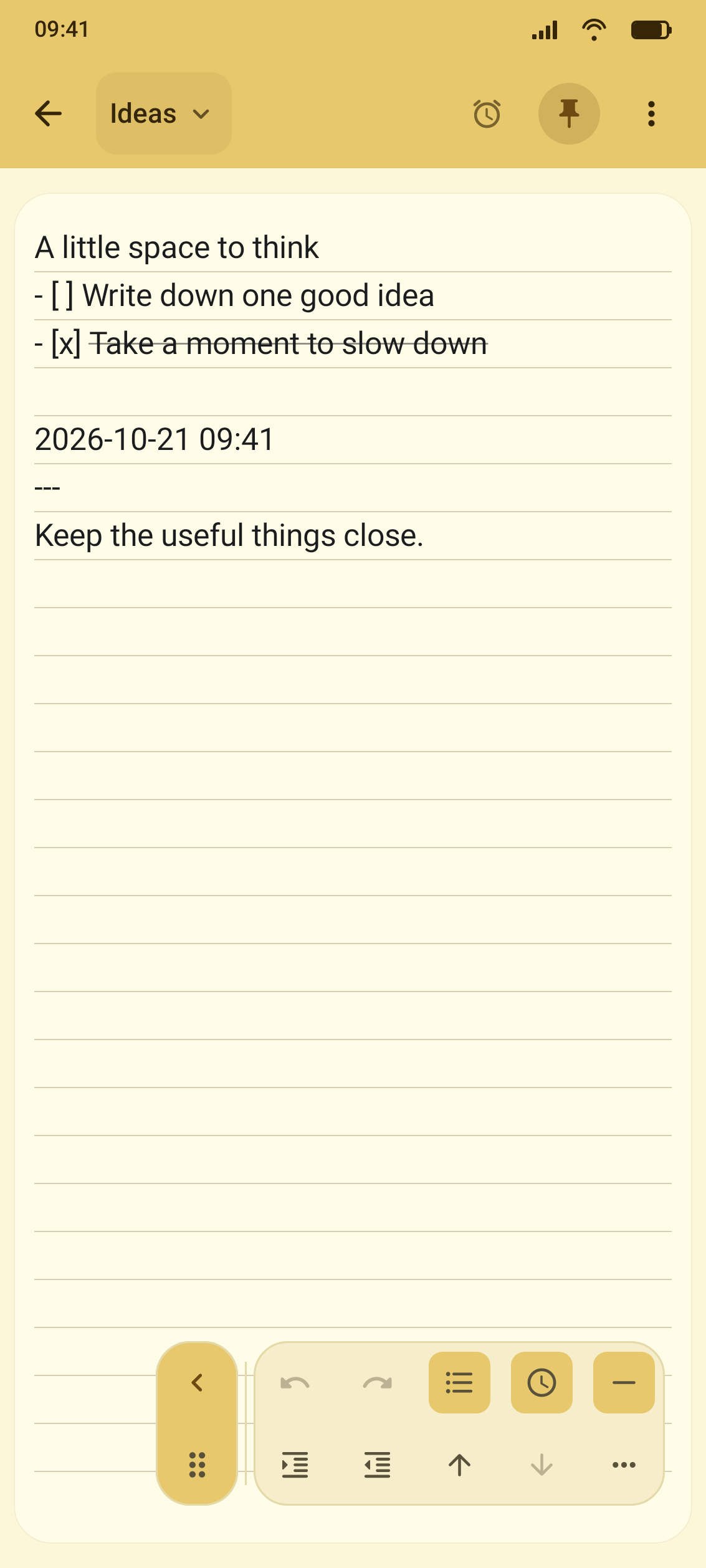
Three everyday ways to make a note Capture a thought, check a list, or remember what matters. These are example notes made with supported features.
Classic Yellow A thought for today Plan the next small project Remember a favorite line Make a weekend reading list Catch an idea in seconds Keep a passing thought or a line you want to remember, without extra steps.
Related features Auto-save · Home widget
Pastel Mint Weekend groceries Make a little plan Organize groceries or travel essentials with a list you can check off as you go.
Related features Checklists · Move lines
Rose Pink Friday paperwork Submit by 3:00 PM Check the documents Review the finished note Remember the important things Set a date and time for a note and revisit it when the reminder arrives.
Related features Per-note reminder · Open from notification
03 / THE APP
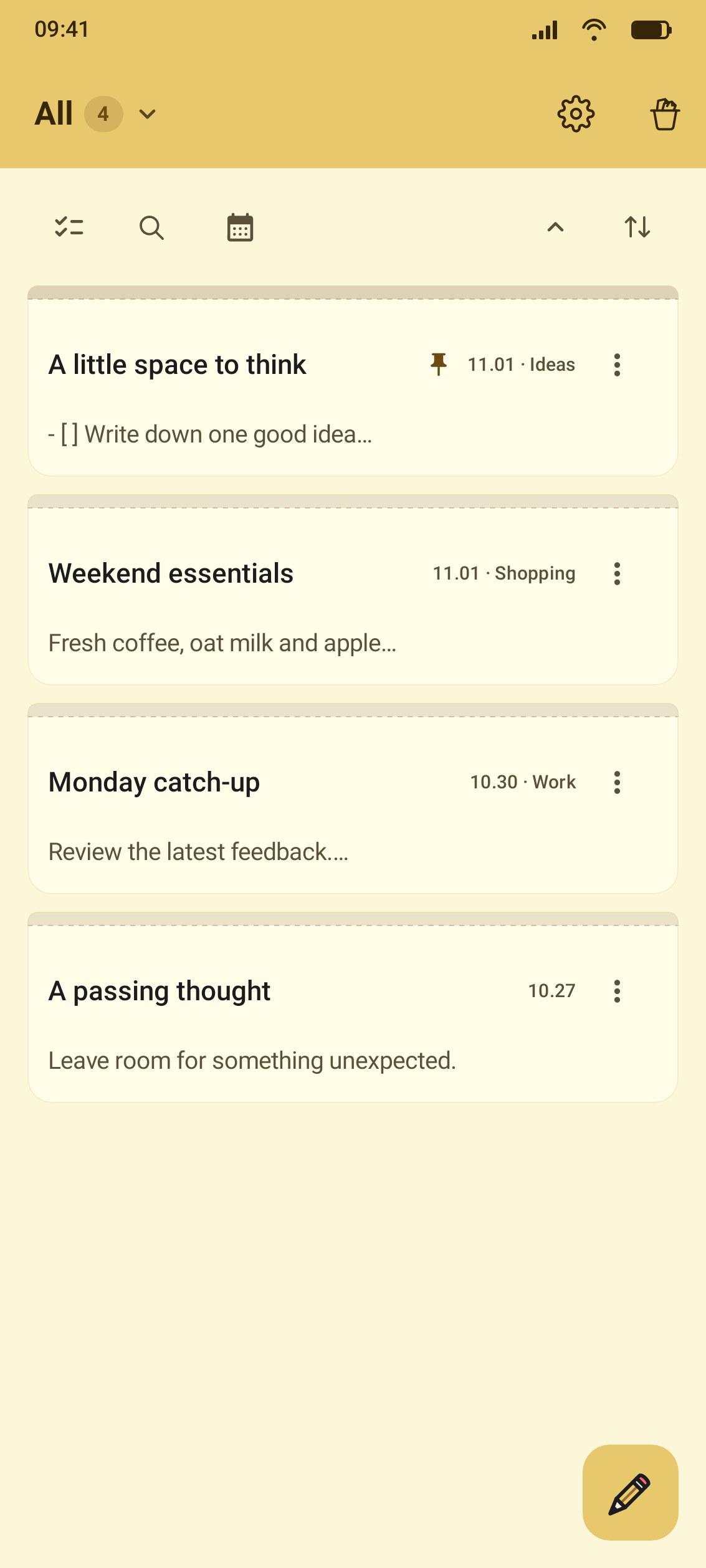
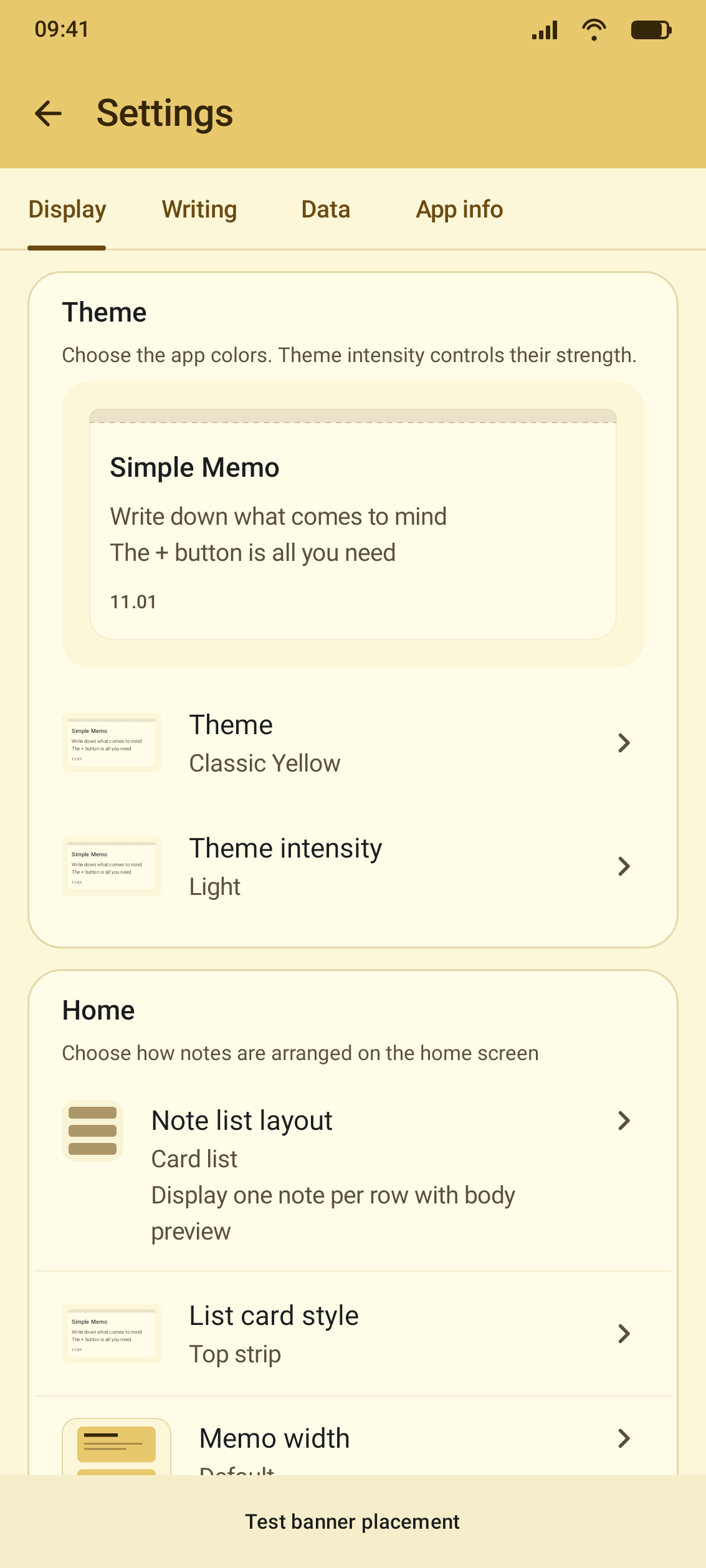
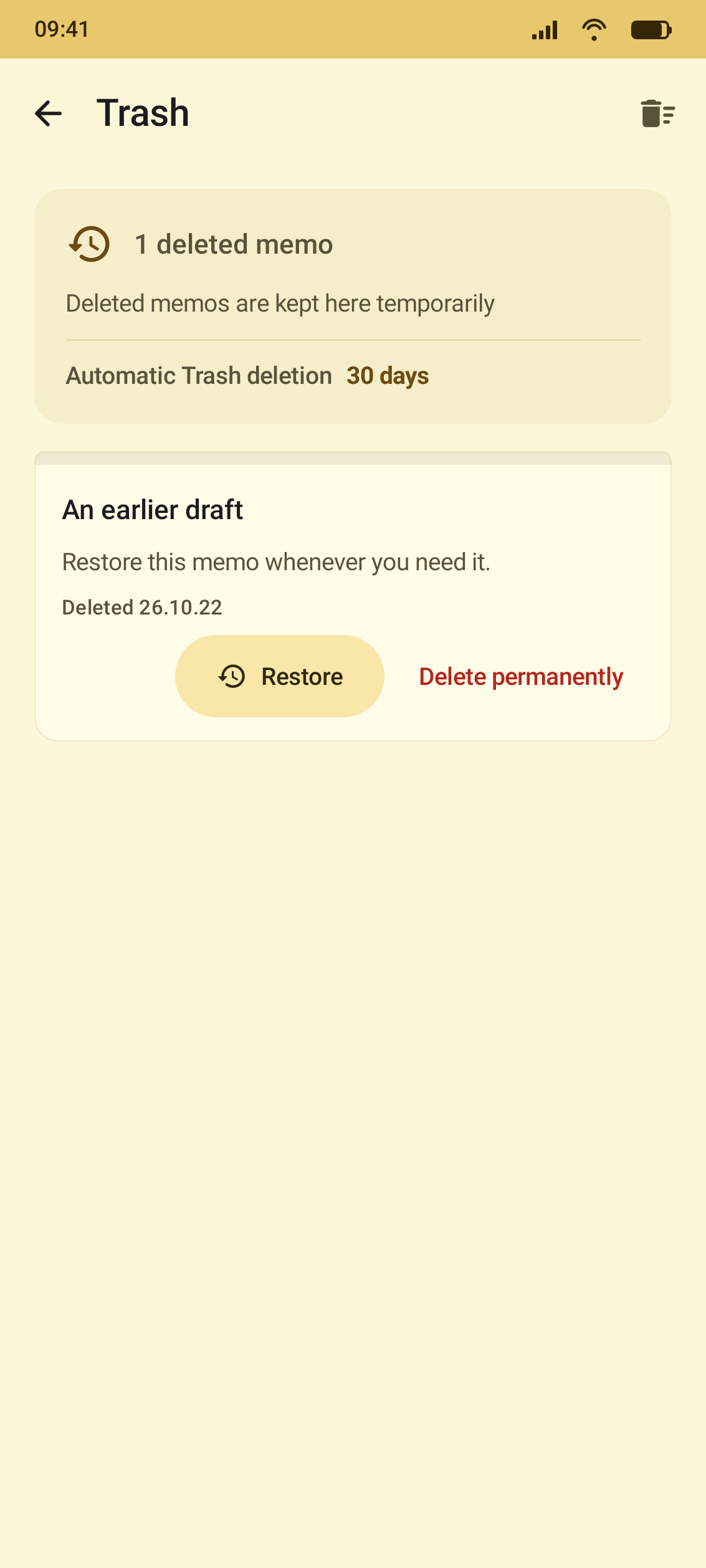
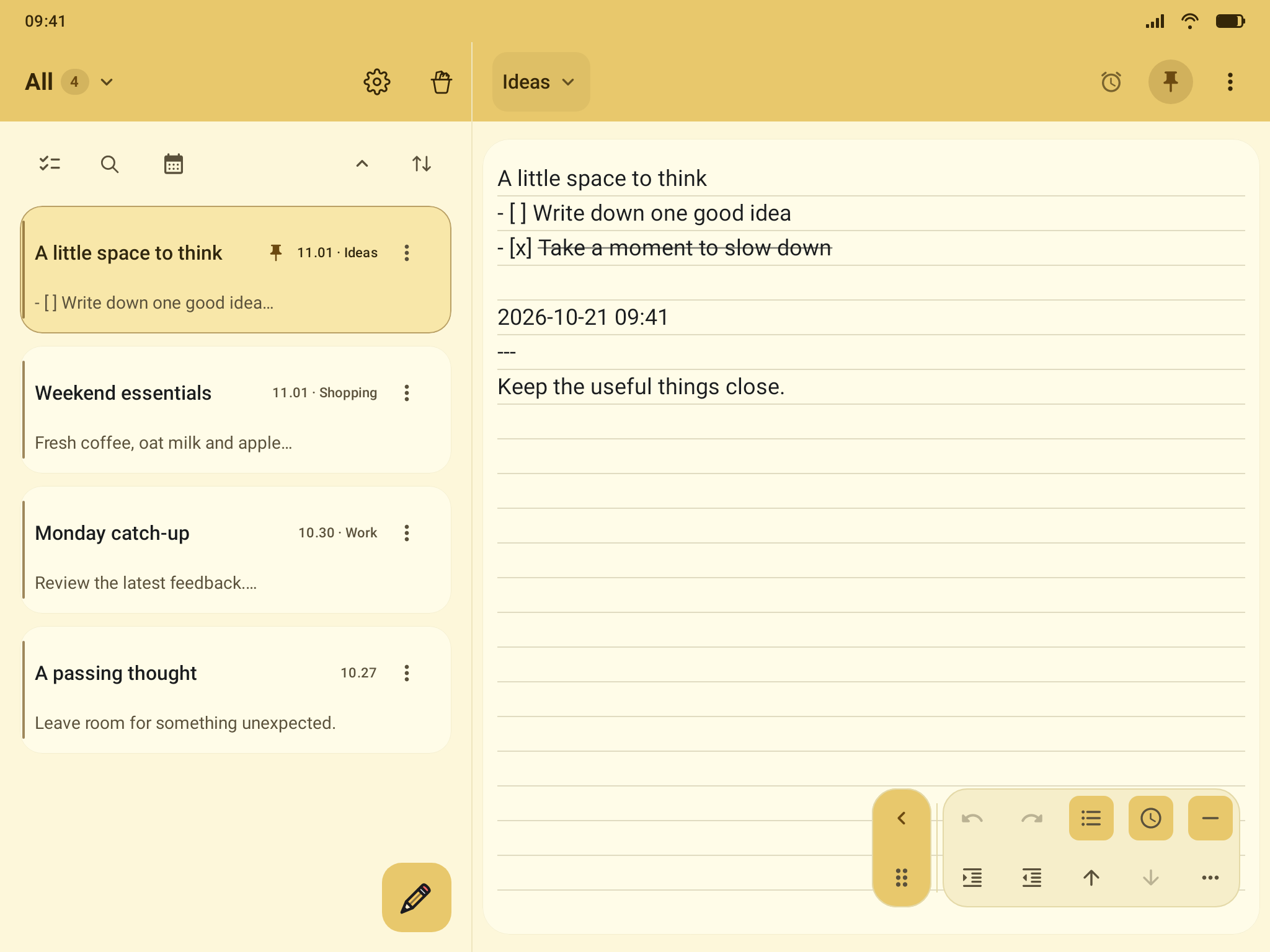
See how Simple Memo feels Actual test captures of the settings, Trash, and tablet layouts in the English version.
Swipe to see more screens →
Make the notebook yours Themes, note cards, and paper styles to suit you A safety net for deleted notes Review and restore notes from Trash More room on a tablet Write alongside your notes list on a wider screen
04 / LATEST RELEASE
Simple Memo 3.8.50 — Available on Android Refined list editing and an improved floating toolbar make it easier to write and organize your notes.
Standard bullet and numbered list markers Two-row floating editing toolbar Stronger line editing: duplicate, move, indent Get the latest version ↗
05 / YOUR DATA
Saved on your device. Backed up by choice. Notes are stored on your device by default. Back up and restore with a local .smbak file or Google Drive when you want to. Export a note as TXT or several notes together as a ZIP.
Google Drive backups are not live sync. The last 10 text versions stay on this device and are not included in backups.
Privacy policy
WINDOWS STUDIO
Open a backup on Windows Use the separate Simple Memo Studio test app on Windows to inspect a .smbak backup created on Android.
Explore Windows Studio →
06 / FAQ
A few things worth knowing Do I need to press Save? Notes are saved automatically by default. You can choose to be asked before leaving an edited note.
Does it work on a tablet? Yes. On wider screens, Simple Memo can show the notes list alongside the editor.
Are there attachment size limits? New attachments have a 10 MB per-file limit and a 100 MB total limit.
Can I lock my notes? An optional app lock uses your device's screen lock or biometrics. It does not encrypt individual backup files.
Is removing ads a subscription? No. Removing ads from the Android app is an optional one-time purchase, separate from advertising on this website.